Working demo
Qahvilo · WhatsApp ordering for restaurants and cafés
Customers order in a WhatsApp conversation, in the language they normally use. Staff check each order before the restaurant accepts it.
How Qahvilo works
- Customer sends a WhatsApp message
They write the order the way they always do.
- Qahvilo prepares the order for review
Items, notes and special requests are collected into one order.
- Staff check and accept it
Nothing is confirmed until a person accepts.
The conversation
How the multilingual ordering conversation works
- It works from the approved menu. Items and prices come from the menu the restaurant has set up.
- Notes stay with the right item. “One less spicy” is kept against that biriyani, not the whole order.
- It asks for what staff need. Pickup or delivery, the address and a name.
- It reads the order back. The customer confirms before the order is submitted to staff.
- Customers write naturally. In demo conversations Qahvilo has replied in English and in a Malayalam–English mix.
Customer: 2 chicken biriyani and 1 chai please. One biriyani less spicy, and no onion in the raita
Qahvilo: Sure! 2 Chicken Biriyani (one less spicy, no onion in the raita) and 1 Chai noted. Pickup or delivery?
Customer: delivery
Qahvilo: Delivery it is! Delivery fee is AED 5, so your total will be AED 42.5. May I have your name please?
Customer: can you bring a card machine? I don’t have cash
Qahvilo: Noted Rafi, I’ve added a request for a card machine. The café will check if one is available, I can’t guarantee it. Shall I confirm?
Customer: pickup. card machine kondu varanam, cash illa
Qahvilo: Sheri, card machine request note cheythittundu (café confirm cheyyanam, guarantee alla). Confirm cheyyatte?
The approval dashboard
What staff see
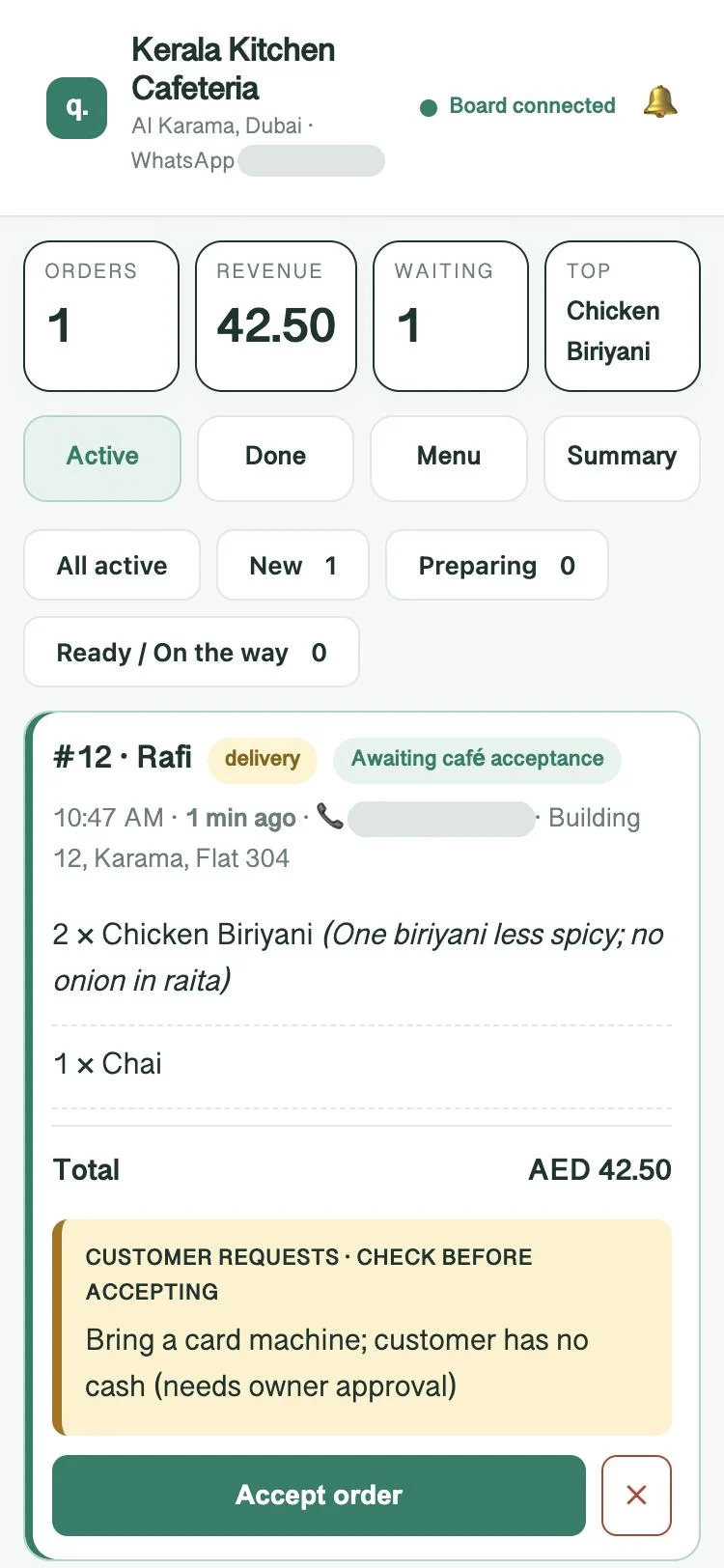
The submitted order arrives as one card: items, notes for each item, delivery details and the total. Staff accept or decline it. In the demo, accepting moves the order to Preparing and the customer gets a WhatsApp message.
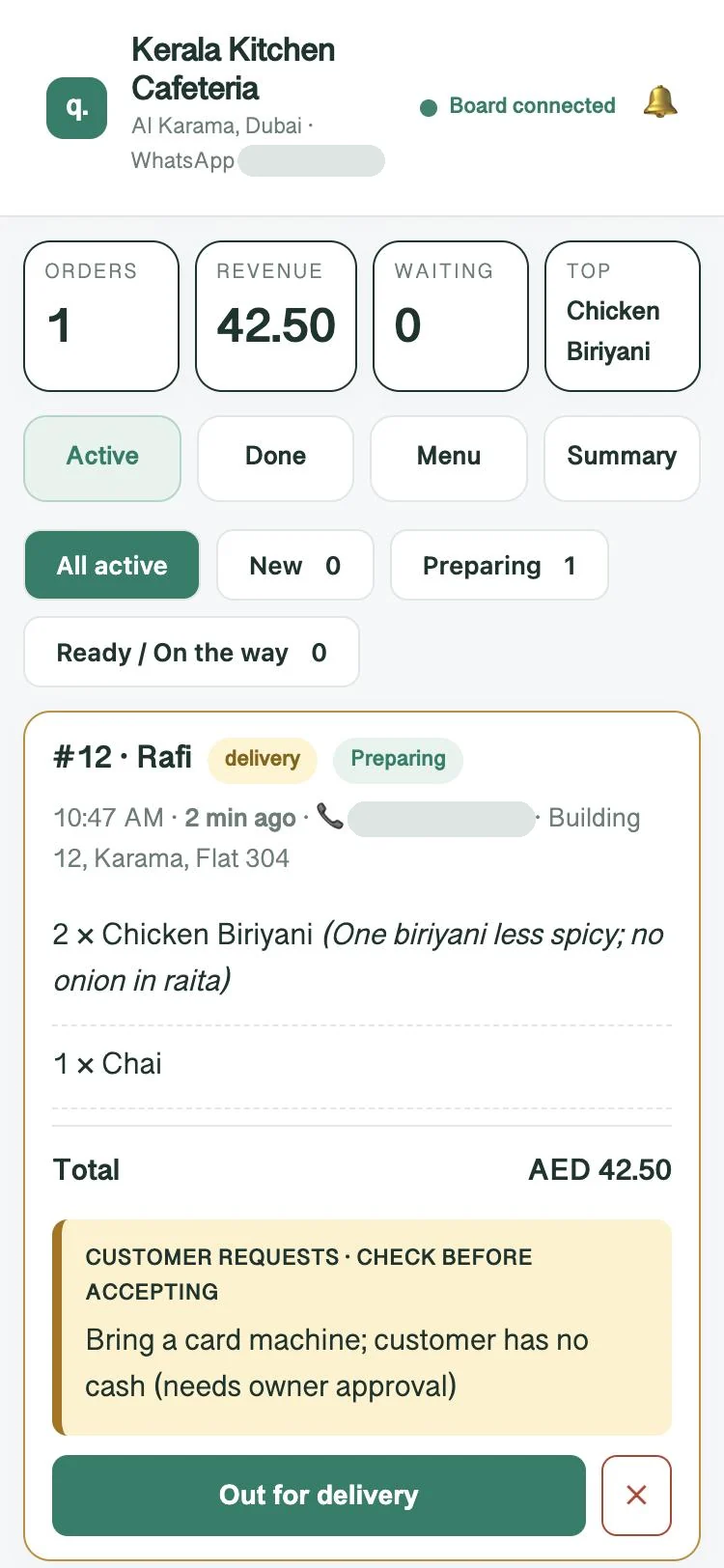
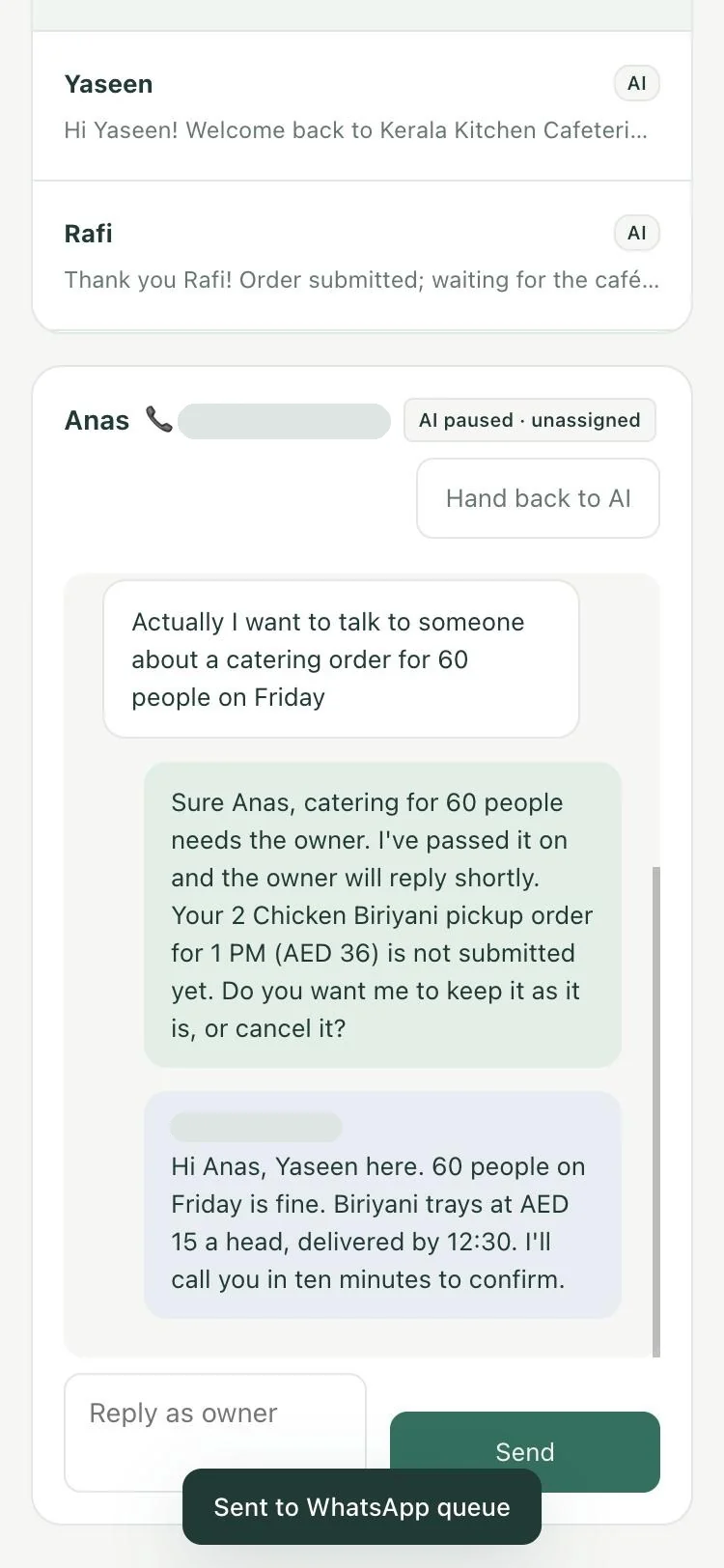
Screens from the working app on a demo business with demo data. Phone numbers and account details are hidden.
Special requests
“Can you bring a card machine?”
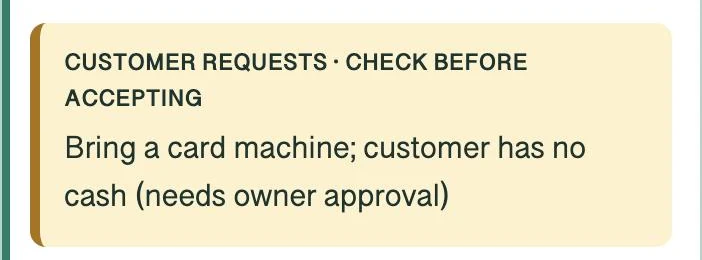
In the demo, a customer has no cash and asks the café to bring a card machine. Qahvilo doesn’t promise one. It records the request and tells the customer the café will check.
Staff see the request above the Accept button, marked “check before accepting”. The restaurant decides whether it can do it before making a commitment.
Walkthrough
Watch the card-machine demo
A short reel on @yaseenbuilds follows this order from the first WhatsApp message to the staff dashboard. It uses a demo business and demo data.
Watch the reel on InstagramQahvilo has been tested through the official WhatsApp API on demo businesses. Production rollout and customer-number onboarding still need validation, so it isn’t offered as a finished service yet.